





Digital Files
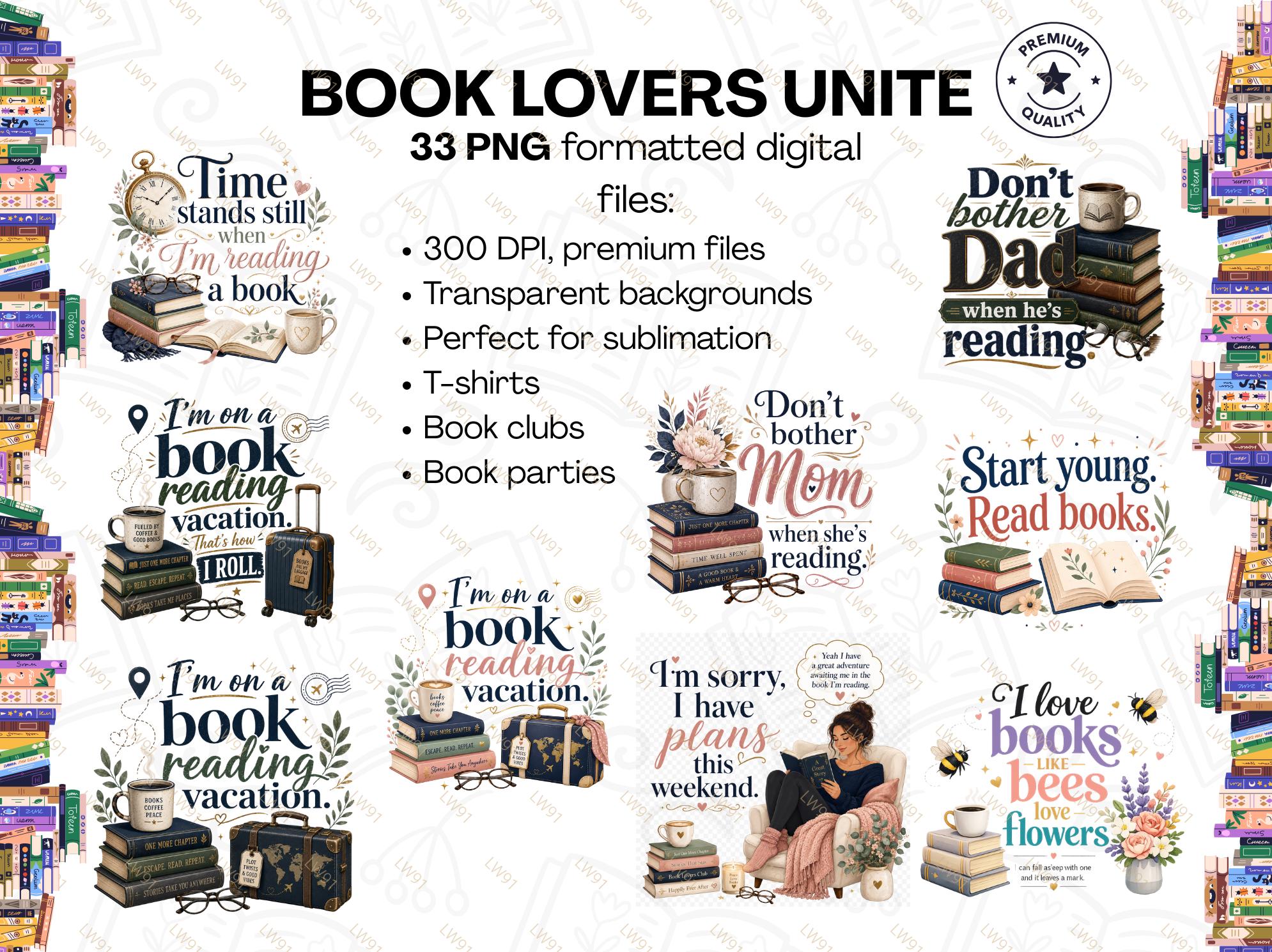
Book Lovers Unite! 33 PNG Digital Files (Sublimation, T-shirts, Book Clubs)
$1.62
-
Details33 PNG formatted digital files--great for expressing how much you love books! This bundle has transparent backgrounds to place on any shirt color. These are a great idea for a book club or book party to showcase your club.
-
Shipping & Policies
Digital downloads
File delivery
Your files will be available to download once payment is confirmed.
Payment Options
Returns & Exchanges
Returns & exchanges not accepted
But please contact me if you have problems with your order
Privacy policy
NONE of your personal information will ever be sold from this website. I value privacy and respect it for my customers!
Frequently Asked Questions
What do I do with a PNG file once I download it?
Decide how you want to use it--do you want put on a flash drive and have someone enlarge it to frame, do you want to print them out to use for stickers in a planner, for example. Do you want to sublimate the designs onto a tumbler or t-shirt? First, decide what you want to use them for.
What products do you use for sublimation onto a tumbler?
All products come from Amazon:
Paper: A-Sub brand 11 x 14 size paper (sublimation paper)
Printer: Epson ET-2800 I converted to a sublimation printer. You convert by using sublimation ink.
Sublimation Ink: Hiipoo brand ink poured into tanks in the printer.
Heat Resistant Tape: I like the thinner brown tape more than the blue tape. Search for sublimation heat tape.
Tumblers: PYD brand (NOTE: any tumbler or item you use for sublimation transfer MUST be made for sublimation--you cannot use just any cup or item. Sublimation items have a polyester coating on them that makes them useable for sublimating.)
Heat Press: HTVRONT A200 Auto Tumbler Heat PressPART 1: How do I actually sublimate my designs onto a tumbler?
-Print your design off using the sublimation paper from your sublimation printer. **If your design contains text--MAKE SURE YOU REVERSE THE DESIGN BEFORE PRINTING TO PREVENT TEXT FROM BEING BACKWARD.
-Use your tumbler (sometimes you can tell when you print it for correct size) to wrap your design around it and trim where needed. I use a paper trimmer. And I make sure there is a small overlap of about 1/4" with the paper.
-Take the tumbler you will use for sublimating and using isopropyl alcohol and cotton ball-wipe the outer surface of the tumbler. You do not need to wash the tumbler. Also use a clothes lint remover and wipe over tumbler. This removes whatever lint may be on the tumbler which will show up.
-Turn your tumbler upside down.PART 2: How I sublimate a design onto a tumbler.
-Tightly wrap your paper around the tumbler (that is upside down) and push the paper down to be even with the top of the tumbler.
-Once you have the paper where you want it around the tumbler, tape the middle of the paper at the side seam. Then tape above and below that.
-Now, tape completely around the top lip of the tumbler making sure then when you smooth the tape it will go over the edge into the tumbler to protect that edge.
-Now, tape the bottom of the tumbler the exact same way--making sure that the space between the paper and the tumbler is completely covered with tape.
-Then tape the rest of the side seam of the paper where you taped middle, top and bottom.PART 3: How I sublimate a design onto a tumbler.
Hopefully, you're still with me. This is NOT too complicated.
-Next, use a tool like a Cricut smoothing tool that is usually used to rub a design off of the transfer tape when using a Cricut--around the edge between paper and tumbler---get into those grooves without cutting the tape.
-Turn on your heat press and warm it up. Check with your heat press instructions for proper heat temperatures.
-I bought a thick small rubber mat to wrap around my tumblers (from Amazon). I wrap my tumbler around that loosely. Then place the tumbler into the heat press (once it's hit the desired temp) and press the power button which causes my heat press to close.
-I run my heat press 3x to heat my tumbler for the design to transfer, changing the direction ofPART 4: How I sublimate a design onto a tumbler.
the tumbler each time.
-After the last run (usually takes 3 minutes each time) I take out the tumbler and place on a heat-resistant small mat and let it cool. Do not remove the paper or anything until it's completely cool.
-Once cool you can remove the tape and paper to reveal your design.
-Wash your tumbler 24 hours after you have it in a heat press.
If I'm gifting a tumbler, I always include a printed slip of paper that says it's not dishwasher safe, but the lid and straw are. I have also had people tell me they have put their tumbler in the dishwasher too and it's been fine, but I go by the instructions of the company that makes the tumblers. It is at their risk if they put the actual tumbler into the dishwasher.Custom and personalized orders
Contact me if you don't see a digital file for what you need for any theme.
I don't know what to do with these PNG digital files.
I would recommend you search for how to use PNG digital files on YouTube for complete usage.
Do these digital files have unlimited use?
Yes. All digital files sold in this shop have unlimited personal and commercial use when purchased but cannot be sold as is to anyone.
Are your reviews really necessary?
YES and YES! PLEASE GIVE ME A REVIEW FOR ANY ITEM(S) YOU HAVE PURCHASED FROM MY SITE. PLEASE CONTACT ME WITH PROBLEMS BEFORE LEAVING A REVIEW TO GIVE ME A CHANCE TO CORRECT AND HELP YOU. THANK YOU!
Related Products